


‹ Press & News
Product update
October 2026
From chat to finished file
CASUS now creates Word, Excel and PowerPoint files straight from the chat, in your own design. Plus Zefix and Onlinekommentar, whole folders in Dossiers and Dossiers in Word.
CASUS Team,

Files straight from the chat
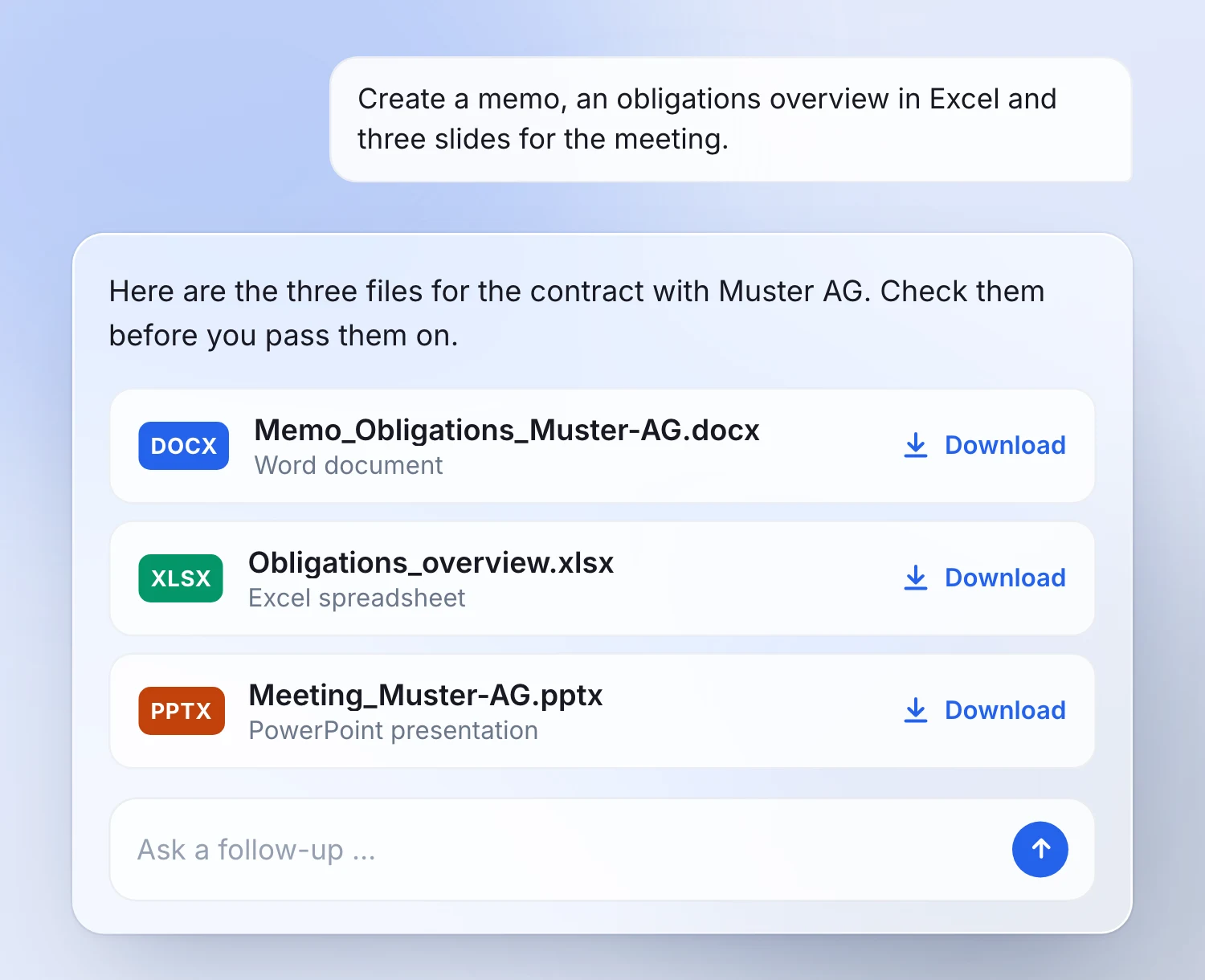
Ask in the chat or in a Dossier for a memo, a table or a presentation. CASUS places the Word, Excel or PowerPoint file right below the answer, ready to download and keep working on.
Describe the task and the form: the recipient and outline for a memo, the columns for a table, the audience and key points for a presentation. Check the file before you pass it on.
In your corporate identity
Store your letterhead, logo and Office templates once under “Templates”. New files build on them whenever you ask.

Your precedents as templates
Store your proven precedents, such as an engagement letter. CASUS then only asks for what changes from case to case: parties, dates, amounts.

Skills for the whole team
Capture proven ways of working, such as a closing checklist, as a skill for your workspace. Colleagues use it for matching tasks.
You create a skill in a Dossier chat: describe the task, the important steps and what the result should look like.

Zefix and Onlinekommentar
Since 15 October, you query company data from Zefix, the Swiss central business name index, right in the chat. For research, CASUS also uses Onlinekommentar, freely accessible commentaries on Swiss law.
This works in the browser and in the Word add-in, and the answers link straight to the sources. More on Legal Research.

Whole folders and shared chats
Drag whole folders into a Dossier at once instead of adding each file. And share a chat so a colleague can pick up where you left off instead of starting over.
You share Dossiers and chats separately: someone who sees a Dossier does not automatically see your private chats.

SharePoint for everyone
The SharePoint integration is now open to everyone. You use documents from SharePoint directly in your Dossiers, with the Microsoft connection and access to the folders concerned.

Dossiers in Word
Choose a Dossier in the Word add-in and work with the full context of your matter without leaving Word, for example to compare a draft with the term sheet.
The open document stays your working document; the files in the Dossier are not changed. More on the Word add-in.

Availability
The new features are available in CASUS in the browser and in the Word add-in. Zefix and Onlinekommentar cover Swiss sources. For SharePoint, you need the Microsoft connection and access to the sources.
Files, answers and suggestions remain drafts that you review before you use them.
Common questions


